Developing documentation(已废弃)
Register as a Seller
In order to register as a seller on AliExpress, you must access this link. We explain below how to properly register:
Step 1: Select the country in which your company is registered:
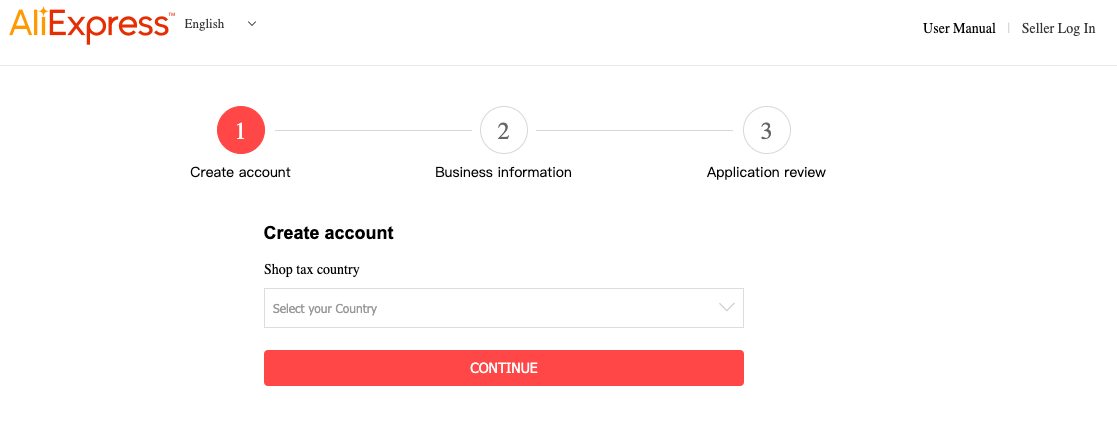
At the moment, only companies/sellers from the following countries can register as a seller on AliExpress:
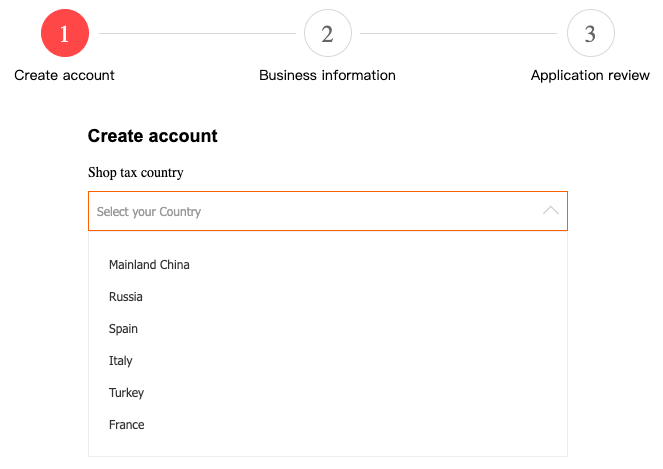
Step 2: Complete the following fields:
- Country of Registration: once a country is selected, it cannot be modified. For example, if your business is registered in France, but you have selected Spain by mistake, it cannot be modified after you have clicked "Continue". Before moving on to the next step, make sure you have correctly selected the country.
-E-mail address: the email you choose in this step will be used to access your AliExpress seller account in the future. Make sure it is an email that has not been used before or that may be used for a buyer account. It is also important that it is operational since you will receive a verification code. Through this email you will also receive future notifications and important notices.
- Password
- Verification
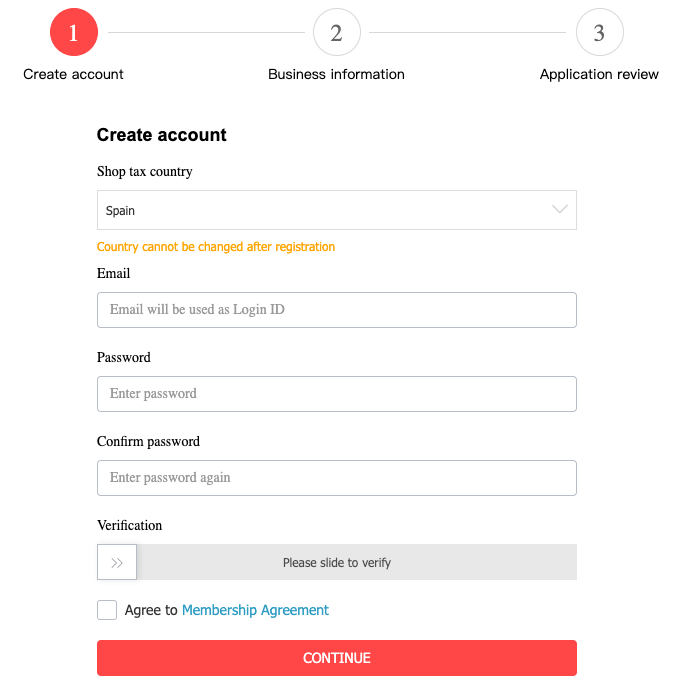
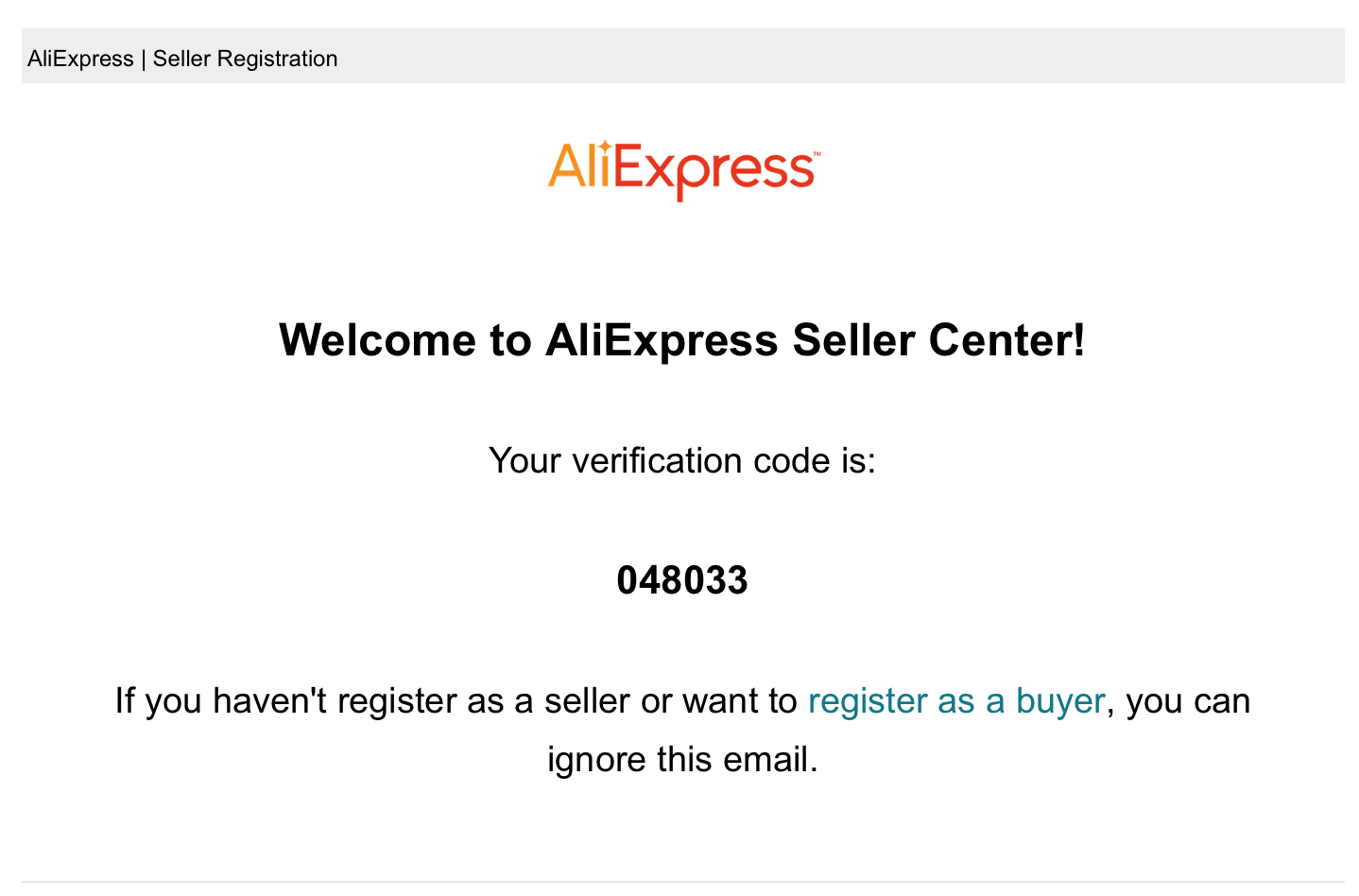
Once you have slipped the bar to the right, you will receive a verification code in your inbox that should look like this:
Step 3: It's time to complete the information about your company:
It is important that in this step (at the end) you attach the necessary documentation proving you are representing company/self-employed.
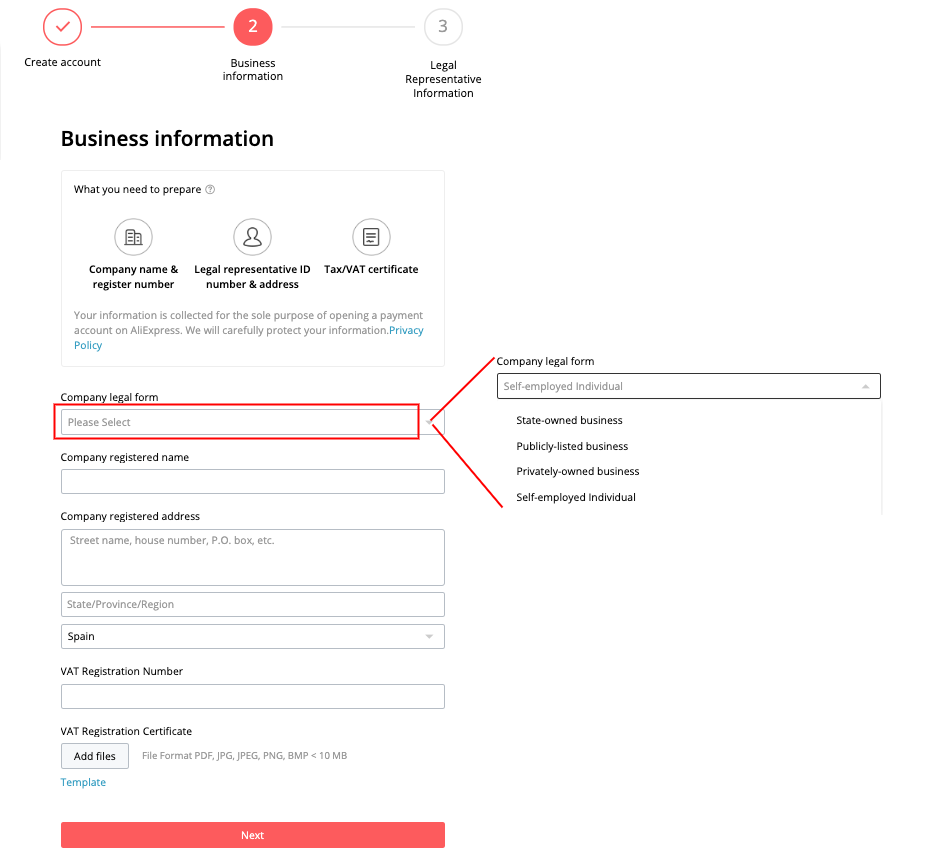
We recommend that the information added, such as the company's registered office, be the company's tax information.
Step 5: Information of the legal representative:
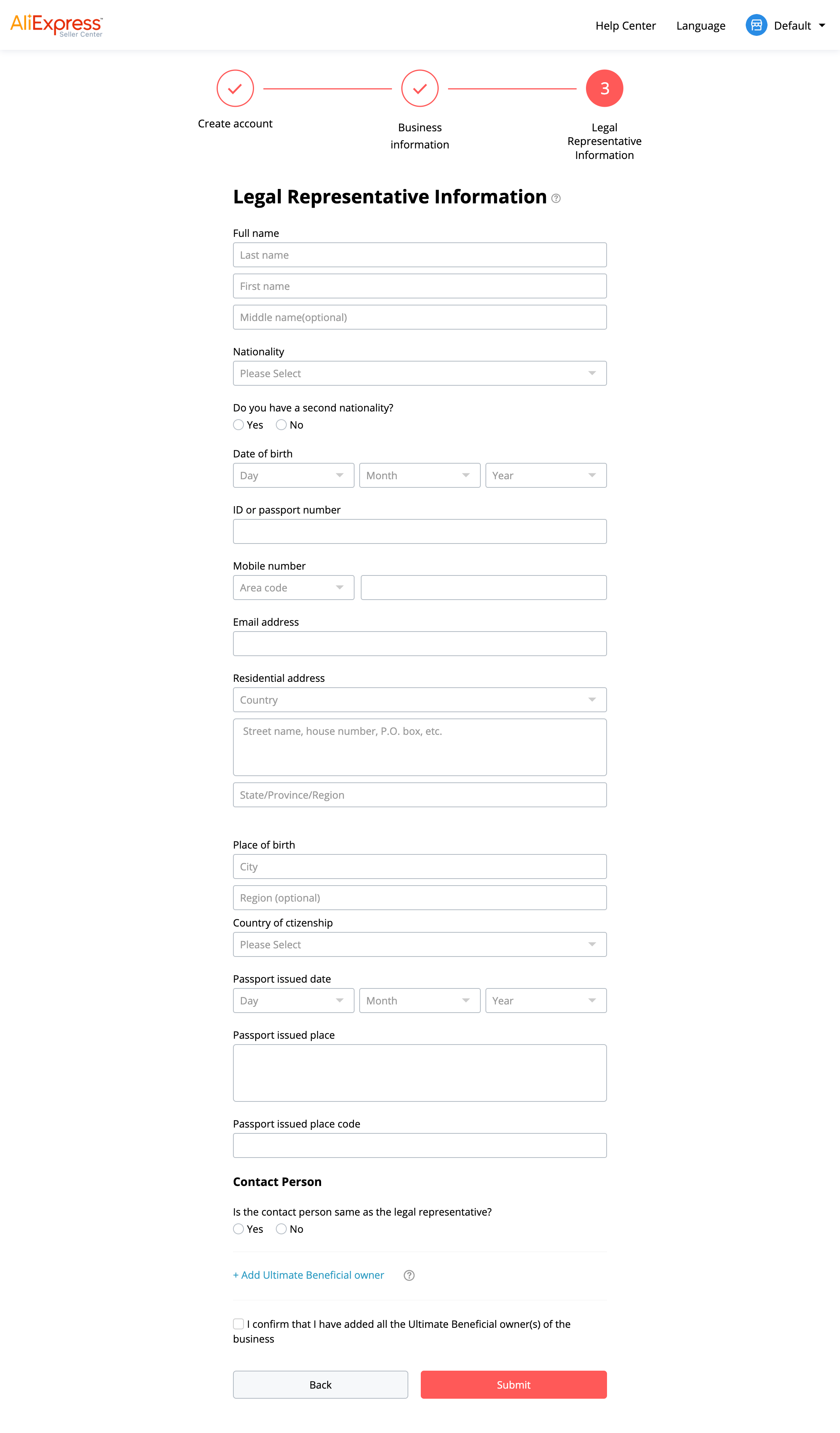
Once you have confirmed the terms and conditions, your application will be reviewed in a period that might take up to 2 or 3 days. If everything is correct, you will receive an email telling you that you can create your products, decorate your store, etc.
